
Skip to content
  • Forex CRM & Client Area Solution for Brokers
  • Forex IB & Partners Management
  • NP MetaSuite: MT4 & MT5 Tools & Plugins
  • MT4 & MT5 Services: Administration & Development
  • Broker CNC: AI-Powered Risk Management
  • Solutions
    • BROKERAGE OPERATIONS
      CRM
      Forex CRM & Client Area
      Manage clients, onboarding, KYC, payments and sales.
      IB
      IB & Partners Management
      Build and automate multi-level partner networks.
      METATRADER
      MT
      MT4 & MT5 Services
      Hosting, administration, development and support.
      MS
      NP MetaSuite
      Purpose-built MT4 & MT5 tools and plugins.
      RISK MANAGEMENT
      EARLY ACCESS
      BrokerCNC
      AI-powered brokerage intelligence for risk, profitability, execution and trader behaviour.
      Discover BrokerCNC →
  • Integrations
  • Careers
  • News & Insights
  • Contact

See Nullpoint in Action

Tell us a little about your brokerage and what you’re looking for. Our team will arrange a tailored demo focused on the solutions most relevant to your operation.

Please enable JavaScript in your browser to complete this form.
Loading
Forex CRM

Forex CRM Client Area: The Core of Brokerage Growth and Client Experience
April 27, 2026 Nullpoint Technologies
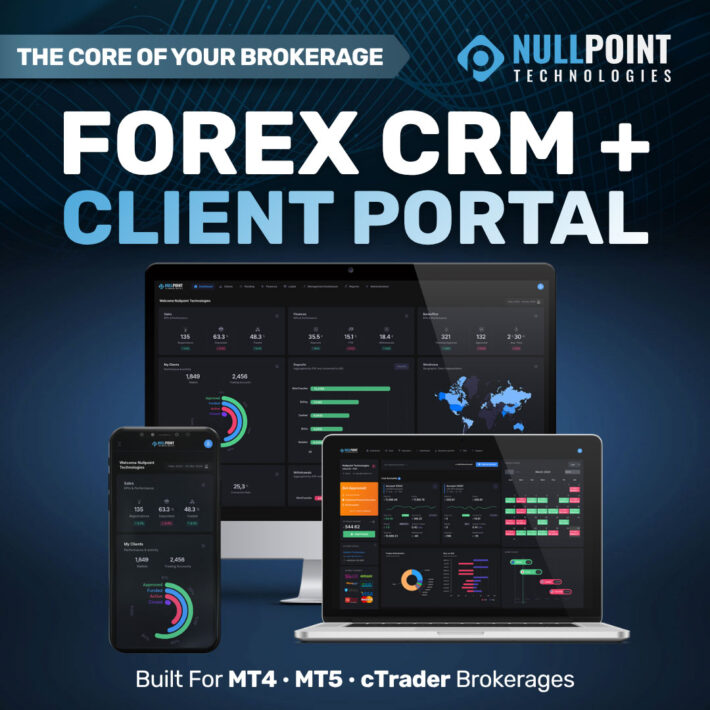
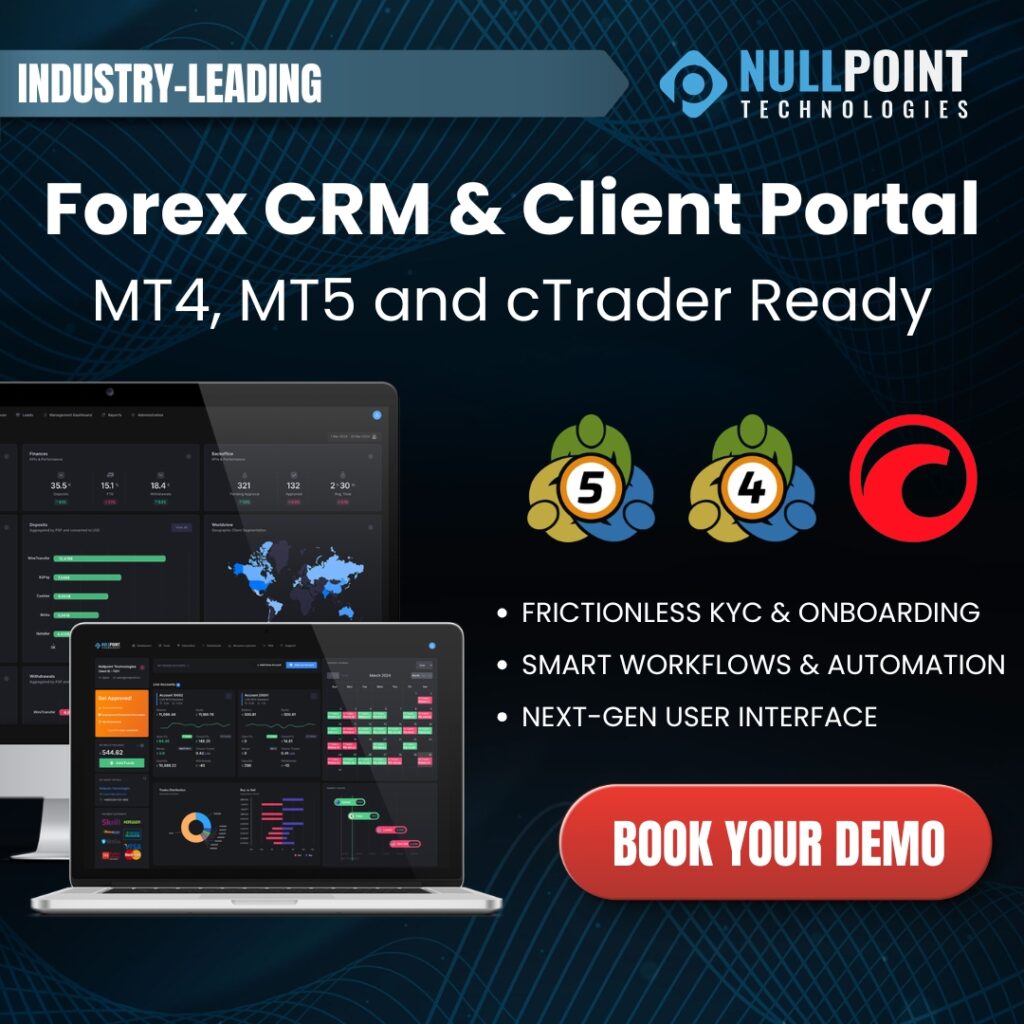
Forex CRM client area interface showing client management, onboarding, and trading account integration


In modern forex brokerages, the client area — also known as the trader’s room or client portal — is where everything happens. It is where traders onboard, manage accounts, deposit funds, access trading services, and interact with your brokerage daily. At the same time, internal teams operate through the back-office portal and admin panel to manage clients, compliance, and operations. A well-designed Forex CRM & Client Area connects trading platforms, payment systems, KYC providers, and operational tools into one unified infrastructure.

🔗 Explore the Forex CRM & Client Area
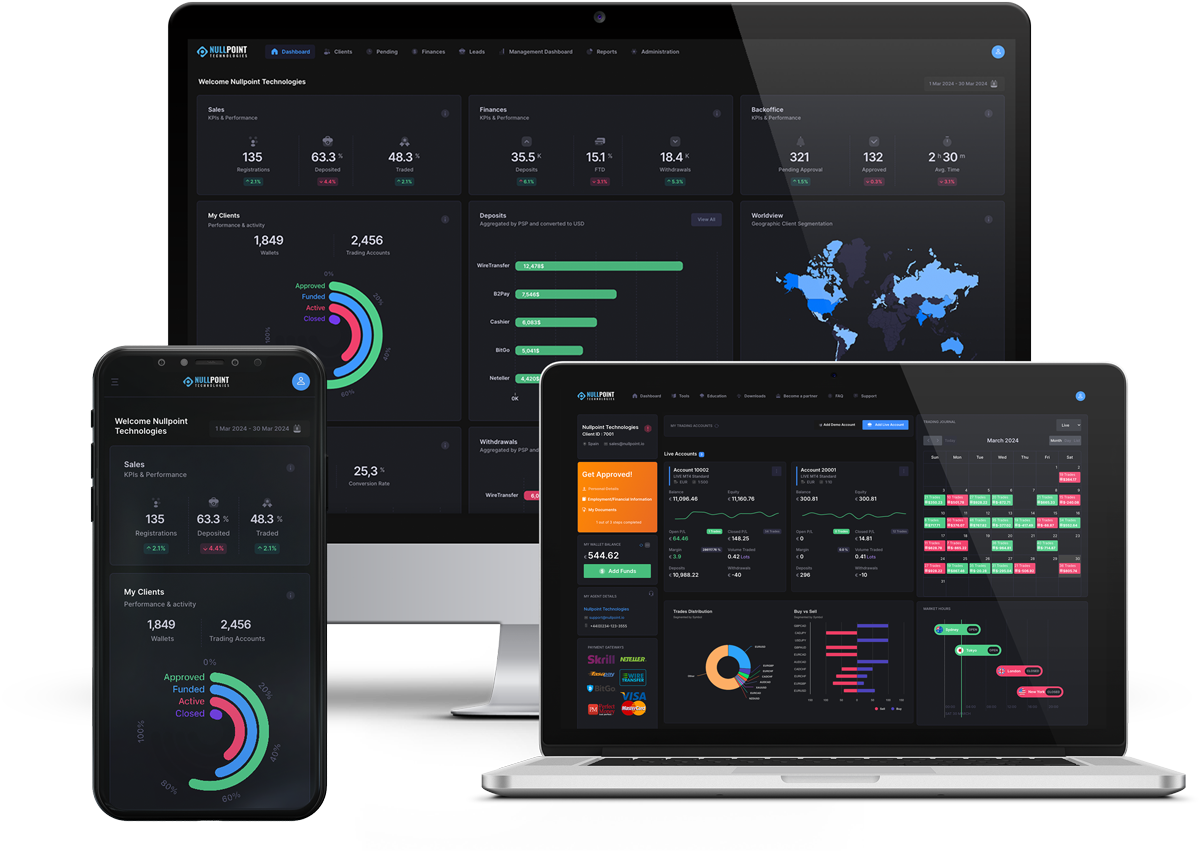
Nullpoint Forex CRM and client area dashboard showing trader portal, back-office management, and platform integrations


What Is a Forex CRM, Client Area, or Trader’s Room?

A Forex CRM & Client Area — often referred to as a trader’s room, client portal, or trader dashboard — is the central interface where traders interact with your brokerage. Behind the scenes, the back-office CRM and admin panel allow brokerage teams to manage onboarding, trading activity, payments, and partner operations. It allows clients to:

  • Open and manage trading accounts
  • Complete onboarding and KYC verification
  • Deposit and withdraw funds through integrated payment systems
  • Access trading data and account activity
  • Interact with brokerage services from one platform

This unified environment connects traders, platforms, and operations in real time.

Why the Client Portal and Back Office Matter for Forex Brokers

The client portal and trader’s room directly impact conversion, engagement, and retention, while the back-office system determines operational efficiency. A strong Forex CRM ecosystem helps brokerages improve:

  • Client onboarding conversion
  • Trader engagement and activity
  • Operational efficiency and automation
  • Compliance and KYC processes
  • Long-term client retention

When the client-facing portal and internal systems work together, brokerages can scale efficiently.

Key Features of the Nullpoint Forex CRM & Client Area

Seamless Trading Platform Integration

A powerful Forex CRM acts as the integration layer between trading platforms, client dashboards, and operational systems. The Nullpoint system supports:

  • MetaTrader 4 (MT4)
  • MetaTrader 5 (MT5)
  • cTrader

This ensures real-time synchronization of trading activity, accounts, and client data.

Integration with Payment Systems and PSP Cashiers

The Forex CRM Client Area integrates with payment service providers (PSPs) and cashier systems to support seamless financial operations.

  • Multi-PSP integrations
  • Deposit and withdrawal management
  • Automated payment workflows
  • Real-time transaction tracking

This creates a smooth funding experience for traders while maintaining control within the back office.

Frictionless KYC with Automated Verification Providers

Compliance is a critical component of brokerage operations. The system integrates with automatic KYC verification providers, enabling:

  • Document verification automation
  • Identity checks
  • AML and compliance workflows

This reduces onboarding friction while ensuring regulatory compliance.

VoIP and Communication Integration

Effective client communication is essential for sales and retention. The CRM can integrate with VoIP providers and call center systems, allowing:

  • Call tracking and logging
  • Sales team integration
  • Client communication history

This connects communication workflows directly into the CRM environment.

Support for PAMM, MAM, and Copy Trading Platforms

Modern brokerages often offer advanced trading solutions. The system supports integration with:

  • PAMM (Percentage Allocation Management Module)
  • MAM (Multi-Account Manager)
  • Copy trading platforms

This enables brokers to manage investor accounts, trading strategies, and performance tracking directly through the CRM and client area.

Centralized Client Management via Admin Panel

The back-office portal and admin panel provide full control over client operations. Brokerage teams can manage:

  • Trader profiles and account status
  • Lifecycle stages and segmentation
  • Client activity and trading behavior
  • Internal workflows and team assignments

This ensures efficient and scalable client management.

Modern Trader Dashboard and User Experience

The trader dashboard is the core of the client experience. A modern and intuitive interface allows traders to easily navigate onboarding, account management, funding, and trading services. This improves usability, reduces friction, and increases engagement.

Built-In Trader Engagement Tools

The system includes tools designed to increase trader activity:

  • Trading journal functionality
  • Performance tracking
  • Account insights
  • Client engagement tools

These features help improve retention and platform usage.

How a Forex CRM & Client Area Drives Brokerage Growth

A connected client area, trader’s room, and back-office system enables brokerages to scale operations efficiently. It helps brokerages:

  • Convert registrations into funded accounts
  • Manage multi-platform trading environments
  • Automate onboarding, payments, and compliance
  • Integrate trading and operational systems
  • Deliver a professional trading experience

By combining platform integration, payments, KYC, and client management, the CRM becomes a central growth engine.

Built for Scalable Forex Brokerages

As brokerages expand, they need systems that support multiple integrations and operational layers. The Nullpoint Forex CRM & Client Area supports:

  • Multi-office and multi-branch setups
  • Third-party integrations (PSPs, VoIP, KYC providers)
  • Advanced trading integrations (PAMM, MAM, Copy Trading)
  • Automated workflows and operations

This ensures long-term scalability and flexibility.

Final Thoughts

A modern Forex CRM, client portal, trader’s room, back-office system, and admin panel should not exist as separate tools. When unified into a single system, they provide brokerages with the ability to manage operations, integrate external services, and deliver a seamless trader experience. Explore the full solution: https://nullpoint.io/forex-crm-client-area/


Supported Trading Platforms

  • Client Area for Brokers
  • CRM for Forex Brokers
  • cTrader CRM Integration
  • Forex Back Office
  • Forex Brokerage Technology
  • Forex Client Portal
  • forex CRM
  • Forex CRM Client Area
  • Forex CRM Platform
  • MT4 CRM Integration
  • MT5 CRM Integration

Post navigation

Previous
Next

Search

Categories

  • Announcements (2)
  • Brokerage Automation (7)
  • Events (6)
  • Forex CRM (9)
  • Forex IB & Partner Management (4)
  • Integrations (4)
  • MT4 & MT5 (8)
  • Product News (3)

Recent posts

  • MT5 API for Forex brokers connecting MetaTrader 5 with Forex CRM, Client Area, payments and custom brokerage applications
    MT5 API for Forex Brokers: Complete Guide
  • Nullpoint MetaSuite Symbol Trade Mode Scheduler automating scheduled trading-mode changes across MT4 and MT5.
    Automate MT4 & MT5 Symbol Trade Modes
  • MT5 CRM guide for Forex brokers with client management, KYC, payments and IB management
    MT5 CRM: The Complete Guide for Forex Brokers

Tags

Bonus Automation Brokerage Automation Brokerage CRM Brokerage Software Brokerage Technology Client Area Client Retention CRM Automation CRM for Forex Brokers cTrader CRM Fintech Forex Back Office Forex brokerage Forex Brokerage Technology Forex Broker CRM Forex Broker Software Forex Client Area forex CRM Forex CRM Client Area Forex CRM Software Forex IB Management Forex IB Management System Forex IB System Forex Partner Management forex software Forex technology IB Management IB management system IB Network Management Introducing Broker Introducing Brokers KYC MetaTrader 5 MetaTrader 5 CRM MetaTrader CRM MT4 MT4 CRM MT5 MT5 CRM Multi-Brand CRM Multi Level IB Multi Level IB System Nullpoint Technologies Payment Gateway Integration Trader's Room

Related posts

MT5 API for Forex brokers connecting MetaTrader 5 with Forex CRM, Client Area, payments and custom brokerage applications
MT4 & MT5

MT5 API for Forex Brokers: Complete Guide

September 16, 2026 Nullpoint Technologies

Discover how an MT5 API helps Forex brokers extend MetaTrader 5 beyond the trading platform, connecting CRM, Client Areas, payments and custom applications to automate operations and build a more integrated brokerage ecosystem.

Nullpoint MetaSuite Symbol Trade Mode Scheduler automating scheduled trading-mode changes across MT4 and MT5.
MT4 & MT5

Automate MT4 & MT5 Symbol Trade Modes

September 14, 2026 Nullpoint Technologies

Automate Close Only, Disabled and Full Trading schedules across MT4 and MT5 with Nullpoint’s new Symbol Trade Mode Scheduler for Forex brokers.

MT5 CRM guide for Forex brokers with client management, KYC, payments and IB management
Forex CRM

MT5 CRM: The Complete Guide for Forex Brokers

September 9, 2026 Nullpoint Technologies

Discover how an MT5 CRM connects MetaTrader 5 with client management, onboarding, KYC, payments, IB operations and reporting, and what brokers should evaluate when choosing a provider.

Reg. No: HE 364070 | VAT No: CY10364070N

Solutions for Forex Brokerages
  • Forex CRM & Client Area Platform
  • IB & Partners Management System
  • MT4 & MT5 Services: Administration & Development
  • NP MetaSuite: MT4 & MT5 Tools & Plugins
Company
  • Careers
  • Contact
  • News & InsightsList Item

Disclaimer: 
MetaTrader 4™ and MetaTrader 5™ are trademarks of MetaQuotes Software Corp. and cTrader™ is a trademark of Spotware Systems. Their use does not imply any affiliation with or endorsement by the respective trademark holders.

Copyright © 2026 Nullpoint Technologies. All rights reserved.

  • Cookie Policy
  • Data Privacy
Your Privacy Matters

We use cookies to ensure our website works properly, understand how it is used and improve your experience. You can accept all cookies, deny optional cookies or manage your preferences at any time.

Functional Always active
Required for the website to function properly. These cookies cannot be disabled.
Preferences
The technical storage or access is necessary for the legitimate purpose of storing preferences that are not requested by the subscriber or user.
Statistics
Helps us understand how visitors use our website so we can improve its performance and content. The technical storage or access that is used exclusively for anonymous statistical purposes. Without a subpoena, voluntary compliance on the part of your Internet Service Provider, or additional records from a third party, information stored or retrieved for this purpose alone cannot usually be used to identify you.
Marketing
Used to measure marketing effectiveness and deliver relevant content across websites and platforms.
  • Manage options
  • Manage services
  • Manage {vendor_count} vendors
  • Read more about these purposes
Preferences
  • {title}
  • {title}
  • {title}